
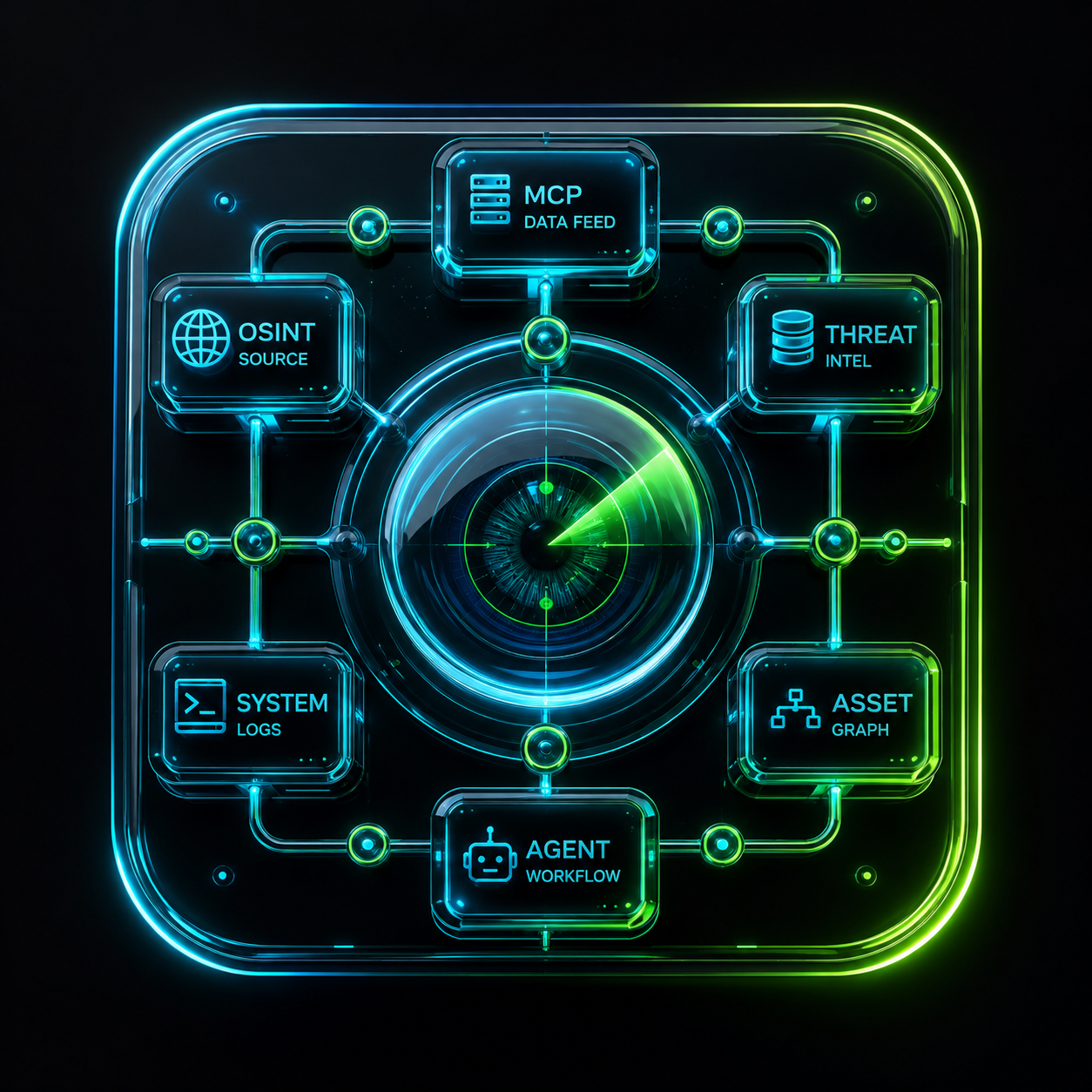
Disclaimer: This content is intended for authorized cybersecurity engineering, internal infrastructure auditing, and defensive validation in permissible corporate environments. All techniques discussed assume full legal authorization and compliance.
Table of Contents
- VAPT Overview — Starting From a Domain/IP/URL
- Passive Reconnaissance Tools — Comprehensive Inventory
- Deep Analysis Tools
- Agentic AI & MCP-Based Approaches
- How Agents Process Nmap Data
- AI Models for Security Agents
- Installing Models on External SSD
- Best Ollama Models for This Project
1. VAPT Overview
The Mindset First
Before touching any tool, ask yourself three things:
- What’s in scope? (Just this domain? Subdomains? Associated IPs?)
- What’s the goal? (Find vulnerabilities? Test defenses? Simulate a real attacker?)
- What are the rules of engagement? (Time windows, off-limits systems, reporting format)
Phase 1 — Passive Reconnaissance (Zero Noise)
You learn as much as possible without touching the target directly. This leaves no logs on their side.
- WHOIS lookup — Who owns the domain? Registration dates, registrar, contact info
- DNS enumeration — MX, TXT, NS, A, CNAME records reveal infrastructure
- Certificate Transparency logs — Sites like
crt.shreveal subdomains from SSL cert history - Shodan / Censys / FOFA — What ports/services are publicly indexed?
- Google Dorking —
site:target.com filetype:pdf,inurl:admin,intitle:index of - TheHarvester / Hunter.io — Employee emails, email format discovery
- LinkedIn OSINT — Tech stack clues from job postings
- Wayback Machine — Old versions of the site, forgotten endpoints, deprecated APIs
Phase 2 — Active Reconnaissance (Light Touch)
- Port scanning —
nmap -sV -sCto identify open ports and service versions - Subdomain brute-forcing —
subfinder,amass,dnsx - Web fingerprinting — What CMS, framework, WAF is running?
- Directory brute-forcing —
ffufordirsearchto find hidden paths - Tech stack confirmation — HTTP response headers leak server type and framework version
Phase 3 — Vulnerability Identification
- Automated scanning —
Nikto,Nucleiagainst web targets;OpenVASorNessusfor network-level - Manual testing:
- Authentication flows (default creds, brute-force protections, MFA bypass)
- Input fields for injection (SQLi, XSS, SSTI, command injection)
- API endpoints for IDOR, broken auth, excessive data exposure
- SSL/TLS config (
testssl.sh) — weak ciphers, expired certs, HSTS missing - Security headers — missing
Content-Security-Policy,X-Frame-Options, etc.
- CVE matching — Map identified service versions to known CVEs
Phase 4 — Exploitation (Controlled & Documented)
- Every action is logged with timestamps
- Screenshots and HTTP request/response captures for evidence
- Note blast radius — what could an attacker actually access?
- Stop at proof of concept — no real data exfiltration, no unauthorized pivoting
Phase 5 — Reporting
A strong VAPT report includes:
- Executive Summary — Business risk in plain English for leadership
- Technical Findings — Each vuln with severity (CVSS score), description, evidence, affected asset, and remediation steps
- Risk Rating — Critical / High / Medium / Low / Informational
- Remediation Roadmap — What to fix first and why
The Key Mental Model
Think in layers:
1
Internet → Perimeter (firewall, WAF) → Application → Authentication → Data
You are asking at each layer: “Can I go deeper than I should be able to?”
Where to Build These Skills Legally
| Platform | What You Practice |
|---|---|
| HackTheBox | Real machines, full pentest workflow |
| TryHackMe | Guided learning paths, great for beginners |
| PortSwigger Web Academy | Best free resource for web app testing |
| VulnHub | Downloadable VMs for offline practice |
| OWASP WebGoat | Deliberately vulnerable web app |
2. Passive Recon Tools
DNS & Domain Intelligence
| Tool | Source | What It Does |
|---|---|---|
| Amass | GitHub/OWASP | Subdomain enumeration via passive DNS, APIs, certs |
| Subfinder | GitHub (ProjectDiscovery) | Fast passive subdomain discovery via APIs |
| DNSrecon | GitHub | DNS enumeration, zone transfer attempts |
| Fierce | GitHub | DNS brute-force + zone transfer |
| MassDNS | GitHub | High-performance DNS resolver |
| Knockpy | GitHub | Subdomain wordlist-based enumeration |
| Findomain | GitHub | Cross-platform subdomain finder |
| Sublist3r | GitHub | Subdomain enumeration via search engines |
| DNSx | GitHub (ProjectDiscovery) | Multi-purpose DNS toolkit |
| Altdns | GitHub | Subdomain permutation + alteration |
| Puredns | GitHub | Reliable passive DNS bruteforcing |
| ShuffleDNS | GitHub | Wrapper around MassDNS for permutations |
OSINT & Search Engine Harvesting
| Tool | Source | What It Does |
|---|---|---|
| TheHarvester | GitHub | Emails, IPs, subdomains from search engines |
| Recon-ng | GitHub | Full OSINT framework, modular |
| Maltego | Commercial + Community | Graph-based OSINT relationships |
| SpiderFoot | GitHub | Automated OSINT across 200+ sources |
| Datasploit | GitHub | OSINT framework for domains, emails, IPs |
| OSINT Framework | osintframework.com | Curated list of OSINT tools by category |
| Metagoofil | GitHub | Extracts metadata from public documents |
| FOCA | GitHub (ElevenPaths) | Metadata extraction from Google-indexed docs |
| Mr. Holmes | GitHub | Username OSINT across platforms |
| Holehe | GitHub | Check if email is registered on sites |
| Sherlock | GitHub | Username enumeration across social networks |
| Maigret | GitHub | Extended Sherlock with more sites |
Certificate Transparency
| Tool | Source | What It Does |
|---|---|---|
| crt.sh | crt.sh (web) | Certificate transparency log search |
| Certspotter | GitHub (SSLMate) | Real-time cert issuance monitoring |
| CTFR | GitHub | Subdomain discovery via CT logs |
| TLSx | GitHub (ProjectDiscovery) | TLS certificate grabbing at scale |
| CertGraph | GitHub | Graph of certificate relationships |
Internet-Wide Scanning & Exposure
| Tool | Source | What It Does |
|---|---|---|
| Shodan | shodan.io | Indexed internet-facing services, banners, vulns |
| Censys | censys.io | Certificate + IP scanning database |
| FOFA | fofa.info | Chinese alternative to Shodan, massive index |
| Zoomeye | zoomeye.org | Cyberspace search engine |
| GreyNoise | greynoise.io | Noise vs targeted traffic classification |
| BinaryEdge | binaryedge.io | Internet exposure & threat intelligence |
| Onyphe | onyphe.io | Cyber defense search engine |
| Natlas | GitHub | Self-hosted network scanning platform |
| LeakIX | leakix.net | Exposed services + misconfigured databases |
| Hunter.how | hunter.how | Search exposed assets and services |
| Netlas | netlas.io | Internet assets search engine |
Email & Employee OSINT
| Tool | Source | What It Does |
|---|---|---|
| Hunter.io | hunter.io | Email format discovery, employee list |
| Phonebook.cz | phonebook.cz | Email, domain, URL intelligence |
| Snov.io | snov.io | Email finder and verifier |
| EmailRep | emailrep.io | Email reputation lookup |
| Clearbit Connect | clearbit.com | Email enrichment |
| LinkedInt | GitHub | LinkedIn OSINT scraper |
| CrossLinked | GitHub | LinkedIn enumeration without API |
Historical & Archived Data
| Tool | Source | What It Does |
|---|---|---|
| Wayback Machine | web.archive.org | Historical snapshots of websites |
| CachedView | cachedview.nl | Google/Bing cached page viewer |
| Waybackurls | GitHub (tomnomnom) | Extract all URLs from Wayback Machine |
| Gau (GetAllURLs) | GitHub | Fetch known URLs from multiple archives |
| URLScan.io | urlscan.io | Website scan history + DOM snapshots |
| VirusTotal | virustotal.com | Historical DNS, URL, file reputation |
| OTX AlienVault | otx.alienvault.com | Threat intel including passive DNS |
IP, ASN & Network Intelligence
| Tool | Source | What It Does |
|---|---|---|
| BGPView | bgpview.io | ASN, IP block, routing info |
| IPinfo | ipinfo.io | IP geolocation, ASN, org lookup |
| HackerTarget | hackertarget.com | Multiple recon tools via API |
| RIPEstat | stat.ripe.net | RIPE database, BGP routing |
| ASNmap | GitHub (ProjectDiscovery) | Map ASN to IP ranges |
| Whois | CLI / ARIN / RIPE | Domain/IP ownership |
| Robtex | robtex.com | DNS, IP, ASN relationship mapping |
| MXToolbox | mxtoolbox.com | DNS, MX, blacklist lookups |
| ViewDNS | viewdns.info | Reverse IP, WHOIS, DNS history |
| DNSDumpster | dnsdumpster.com | DNS recon + visual mapping |
Credential & Data Leak Intelligence
| Tool | Source | What It Does |
|---|---|---|
| HaveIBeenPwned | haveibeenpwned.com | Email breach lookup |
| DeHashed | dehashed.com | Leaked credentials database |
| LeakCheck | leakcheck.io | Breach data lookup |
| Pwndb | GitHub (D4Vinci) | Onion-based leaked credential search |
| GHunt | GitHub | Google account OSINT |
| IntelX | intelx.io | Search engine for leaked data, pastes, darkweb |
| GitLeaks | GitHub | Scan git repos for leaked secrets |
| TruffleHog | GitHub | Secrets detection in git history |
| GitDorker | GitHub | GitHub dork automation |
Google & Search Engine Dorking
| Tool | Source | What It Does |
|---|---|---|
| Google Dorks | Manual | site:, filetype:, inurl:, intitle: |
| DorkSearch | dorksearch.com | Pre-built dork categories |
| Pentest-Tools Dork | pentest-tools.com | Dork automation |
| GoogD0rker | GitHub | Automated Google dorking |
| Pagodo | GitHub | Passive Google dork automation |
| SearchDiggity | BishopFox | Bing/Google dork framework (Windows) |
Cloud & Technology Fingerprinting
| Tool | Source | What It Does |
|---|---|---|
| CloudEnum | GitHub | AWS, Azure, GCP asset enumeration |
| S3Scanner | GitHub | Public S3 bucket finder |
| GCPBucketBrute | GitHub | GCP bucket enumeration |
| Bucket Finder | GitHub (DigiNinja) | S3 bucket discovery |
| BuiltWith | builtwith.com | Technology stack profiling |
| Wappalyzer | wappalyzer.com | Browser extension tech fingerprinting |
| WhatCMS | whatcms.org | CMS detection |
| Netcraft | netcraft.com | Web tech, hosting history, phishing intel |
All-in-One Frameworks
| Tool | Source | What It Does |
|---|---|---|
| Recon-ng | GitHub | Modular OSINT framework (like Metasploit for recon) |
| SpiderFoot HX | GitHub / Commercial | Automated passive + active recon |
| OSMEDEUS | GitHub | Full automated recon workflow |
| ReconFTW | GitHub | Combines 35+ tools into one pipeline |
| BBRaider | GitHub | Bug bounty-focused recon automation |
| Raccoon | GitHub | Offensive recon + info gathering |
| Sn1per | GitHub | Automated pentest recon framework |
| Intrigue Core | GitHub | Attack surface discovery platform |
| LazyRecon | GitHub | Bash-based recon automation |
| ART (Atomic Red Team) | GitHub (Red Canary) | Recon TTPs mapped to MITRE ATT&CK |
Pro Tips
- Chain tools — Amass → DNSx → HTTPx → Nuclei is a classic subdomain-to-vuln pipeline
- API keys matter — Tools like Subfinder and TheHarvester perform 10x better with Shodan, Censys, VirusTotal API keys configured
- ReconFTW is excellent for automating the entire passive phase in one run
- Always cross-reference — one tool might miss what another catches
3. Deep Analysis Tools
Deep DNS & Protocol Analysis
| Tool | Source | What It Does |
|---|---|---|
| Passive Total (RiskIQ) | passivetotal.org | Passive DNS history, WHOIS, SSL pivoting |
| DNSDB (Farsight) | dnsdb.info | Largest passive DNS database commercially |
| SecurityTrails | securitytrails.com | DNS history, subdomain, IP neighbor lookup |
| DNSHistory | dnshistory.org | Historical DNS record changes |
| Mnemonic PassiveDNS | passivedns.mnemonic.no | Passive DNS from Mnemonic security |
| CIRCL PassiveDNS | circl.lu | Free passive DNS from CERT Luxembourg |
| CIRCL PassiveSSL | circl.lu | Passive SSL cert/IP correlation |
| DNS Twist | GitHub (elceef) | Detect typosquatting / phishing domains |
| DNSMorph | GitHub | Domain permutation engine |
| URLCrazy | GitHub | Domain typo generation for brand monitoring |
| DomainFuzz | GitHub | Domain variation fuzzer |
Traffic & Protocol Intelligence (Passive Capture)
| Tool | Source | What It Does |
|---|---|---|
| Zeek (Bro) | GitHub / zeek.org | Network traffic analyzer, protocol dissection |
| NetworkMiner | netresec.com | Passive network sniffer + artifact extractor |
| Arkime (Moloch) | GitHub | Full packet capture + indexed search |
| Rita | GitHub (BH Automation) | Detects C2 beaconing from Zeek logs |
| PassiveDNS (capture) | GitHub | Logs all DNS traffic passively |
| CapTipper | GitHub | Analyze HTTP traffic from PCAP |
| Xplico | xplico.org | Network forensic analysis from PCAP |
| Dshell | GitHub (USArmy) | Network forensic analysis framework |
| NFCAPD / NFDUMP | GitHub | NetFlow capture and analysis |
| SiLK | tools.netsa.cert.org | Large-scale NetFlow analysis |
| Argus | qosient.com | Network audit record generation |
Threat Intelligence Platforms & Feeds
| Tool | Source | What It Does |
|---|---|---|
| MISP | GitHub (MISP Project) | Threat intel sharing platform |
| OpenCTI | GitHub | Cyber threat intelligence platform |
| YETI | GitHub | Your Everyday Threat Intelligence |
| Harpoon | GitHub | CLI for threat intel APIs |
| Cortex | GitHub (TheHive) | Observable analysis automation |
| TheHive | GitHub | Security incident response + intel |
| ThreatFox | abuse.ch | Malware IOC database |
| URLhaus | abuse.ch | Malicious URL database |
| MalwareBazaar | abuse.ch | Malware sample sharing |
| Feodo Tracker | abuse.ch | Botnet C2 tracker |
| AbuseIPDB | abuseipdb.com | IP reputation + abuse reports |
| VirusTotal API | virustotal.com | File, URL, domain, IP reputation |
| Pulsedive | pulsedive.com | Threat intel enrichment |
| Recorded Future (Community) | recordedfuture.com | Threat intel with dark web coverage |
| IBM X-Force Exchange | exchange.xforce.ibmcloud.com | Threat intel sharing |
| Triage (Hatching) | tria.ge | Malware sandbox + behavioral analysis |
| ANY.RUN | any.run | Interactive malware sandbox |
| Joe Sandbox | joesandbox.com | Deep malware behavioral analysis |
| Hybrid Analysis | hybrid-analysis.com | Free malware analysis sandbox |
Dark Web & Underground Monitoring
| Tool | Source | What It Does |
|---|---|---|
| OnionScan | GitHub | Scan .onion sites for misconfigs |
| TorBot | GitHub | Dark web OSINT crawler |
| DarkDump | GitHub | Search dark web from CLI |
| Ahmia | ahmia.fi | .onion search engine (clearnet accessible) |
| IntelX Dark Web | intelx.io | Indexes dark web, leaks, paste sites |
| Photon | GitHub (s0md3v) | Fast OSINT web spider + dark web |
| H8mail | GitHub | Email breach correlation tool |
Git & Code Repository Intelligence
| Tool | Source | What It Does |
|---|---|---|
| GitLeaks | GitHub | Secrets detection across git history |
| TruffleHog | GitHub (Truffle Security) | Deep git history entropy scanning |
| GitDorker | GitHub | Automates GitHub dork searches |
| GitGot | GitHub | Search GitHub for sensitive data |
| GitAllSecrets | GitHub | Wraps multiple git secret scanners |
| Gitrob | GitHub | Recon on GitHub orgs/users |
| Repo-supervisor | GitHub | Scans repos for leaked secrets |
| ShhGit | GitHub | Real-time GitHub secret stream monitor |
| GitHub Dorks | Manual | org:target filename:.env, password, api_key |
| Sourcegraph | sourcegraph.com | Code intelligence + search across repos |
| Grep.app | grep.app | Regex search across GitHub repos |
Corporate & Business Intelligence
| Tool | Source | What It Does |
|---|---|---|
| Crunchbase | crunchbase.com | Company info, funding, acquisitions |
| OpenCorporates | opencorporates.com | Global company registry |
| EDGAR (SEC) | sec.gov/edgar | US public company filings |
| Companies House | companieshouse.gov.uk | UK company filings (directors, addresses) |
| LittleSis | littlesis.org | Corporate power mapping |
People & Identity OSINT
| Tool | Source | What It Does |
|---|---|---|
| Pipl | pipl.com | Deep people search engine |
| Social Analyzer | GitHub | Profile analysis across 1000+ sites |
| Blackbird | GitHub | Social media username OSINT |
| WhatsMyName | GitHub (WebBreacher) | Username presence on 600+ sites |
| PimEyes | pimeyes.com | Reverse face image search |
| FaceCheck.id | facecheck.id | Face search OSINT tool |
| Lampyre | lampyre.io | Data analysis + OSINT relationships |
Image & Geolocation Intelligence
| Tool | Source | What It Does |
|---|---|---|
| ExifTool | GitHub (exiftool) | Extract metadata from images/docs |
| GeoSpy | geospy.ai | AI-based photo geolocation |
| SunCalc | suncalc.org | Determine time/location from sun shadows |
| Pic2Map | pic2map.com | GPS metadata extractor from photos |
| Google Lens | lens.google.com | Reverse image + landmark recognition |
| TinEye | tineye.com | Reverse image search |
| Yandex Images | yandex.com | Often better than Google for face recon |
Mobile & App Intelligence
| Tool | Source | What It Does |
|---|---|---|
| APKLeaks | GitHub | Extracts URLs, secrets from APKs |
| MobSF | GitHub | Mobile app static + dynamic analysis |
| Quark Engine | GitHub | Android malware scoring |
| ClassyShark | GitHub (Google) | Android/Java bytecode browser |
| Jadx | GitHub | APK decompiler |
| Frida | frida.re | Dynamic instrumentation for mobile |
Infrastructure & Supply Chain Analysis
| Tool | Source | What It Does |
|---|---|---|
| Dep-Scan | GitHub | Dependency vulnerability analysis |
| Syft | GitHub (Anchore) | SBOM generator |
| Grype | GitHub (Anchore) | Vulnerability scanner for SBOMs |
| Trivy | GitHub (Aquasec) | Container + IaC + repo vuln scanner |
| Snyk | snyk.io | Open source dependency monitoring |
| Socket.dev | socket.dev | Supply chain attack detection in npm/PyPI |
| Deps.dev | deps.dev (Google) | Open source package insights |
Specialized Analysis & Correlation Platforms
| Tool | Source | What It Does |
|---|---|---|
| Maltego | maltego.com | Visual link analysis for all OSINT data |
| Gephi | gephi.org | Graph visualization for OSINT datasets |
| Hunchly | hunch.ly | Web capture tool for investigations |
| Spiderfoot HX | spiderfoot.net | Enterprise OSINT automation |
| Recorded Future | recordedfuture.com | AI-driven threat intel correlation |
| Timesketch | GitHub (Google) | Timeline analysis for forensics |
Pivoting: How Professionals Chain These
1
2
3
4
5
6
7
8
9
10
11
12
13
14
15
16
17
18
19
20
21
22
23
24
Domain Input
    │
    ├──▶ crt.sh + Subfinder + Amass ──▶ Subdomain list
    │         │
    │         ▼
    │    DNSx + SecurityTrails ──▶ Historical DNS + IPs
    │         │
    │         ▼
    │    Shodan + Censys + FOFA ──▶ Exposed services per IP
    │         │
    │         ▼
    │    VirusTotal + OTX ──▶ Reputation + passive DNS pivot
    │         │
    │         ▼
    │    URLScan + Waybackurls ──▶ Historical endpoints + params
    │         │
    │         ▼
    │    GitDorker + TruffleHog ──▶ Leaked secrets in code
    │         │
    │         ▼
    │    TheHarvester + CrossLinked ──▶ Employees + emails
    │         │
    │         ▼
    └──▶ MISP / OpenCTI ──▶ Correlate all IOCs into intel report
4. Agentic AI & MCP
What Is Agentic AI in Cybersecurity?
Traditional tools are reactive — you run them, they output results. Agentic AI is autonomous — it reasons, plans, executes multi-step tasks, adapts to findings, and loops back without human intervention at every step.
1
2
3
4
5
Old way:     Subfinder → manually review → Nuclei → review again

Agentic way: AI receives target → autonomously chains recon →
             enumeration → validation → report generation,
             making decisions at each step
MCP (Model Context Protocol) — The Game Changer
MCP is Anthropic’s open protocol that gives AI models structured access to tools, APIs, and data sources in a standardized way.
1
2
3
4
5
6
7
8
9
┌─────────────────────────────────────────────┐
│              AI Agent (LLM Brain)            │
└──────────────────┬──────────────────────────┘
                   │ MCP Protocol
        ┌──────────┼──────────┐
        ▼          ▼          ▼
   [Tool Server] [Data MCP] [API MCP]
   nmap, nuclei  Shodan DB  VirusTotal
   subfinder     MISP feed  SecurityTrails
Why MCP Matters for Security:
- Standardized tool calling — Any security tool wrapped as an MCP server becomes AI-callable
- Context persistence — Agent remembers findings across tool calls in one session
- Chained reasoning — Agent decides which tool to call next based on previous output
- Human-in-the-loop — You can gate sensitive actions for approval before execution
Agentic Security Architecture Patterns
Pattern 1 — Linear Pipeline Agent
1
2
3
4
Target Input
    │
    ▼
[Recon Agent] ──▶ [Enum Agent] ──▶ [Analysis Agent] ──▶ [Report Agent]
Simple, predictable, good for scheduled audits.
Pattern 2 — ReAct Loop Agent (Reasoning + Acting)
1
2
3
4
5
6
7
8
9
10
11
12
13
14
15
16
17
18
19
        ┌──────────────────────────┐
        │      THINK               │
        │  "I found port 443 open" │
        └────────────┬─────────────┘
                     │
        ┌────────────▼─────────────┐
        │      ACT                 │
        │  Run TLS check on 443    │
        └────────────┬─────────────┘
                     │
        ┌────────────▼─────────────┐
        │      OBSERVE             │
        │  TLS 1.0 detected!       │
        └────────────┬─────────────┘
                     │
        ┌────────────▼─────────────┐
        │      THINK AGAIN         │
        │  Check cipher suites     │
        └──────────────────────────┘
Pattern 3 — Multi-Agent Swarm
1
2
3
4
5
6
7
8
9
10
11
12
                [Orchestrator Agent]
                        │
          ┌─────────────┼─────────────┐
          ▼             ▼             ▼
    [Recon Agent] [WebApp Agent] [Network Agent]
          │             │             │
          └─────────────┼─────────────┘
                        ▼
                [Correlation Agent]
                        │
                        ▼
                [Report Agent]
Each specialist agent works in parallel, orchestrator synthesizes findings.
Building MCP Security Tools — Framework
1
2
3
4
5
6
7
8
9
10
11
12
13
14
15
16
17
18
19
20
21
22
23
24
25
26
27
28
29
30
31
32
33
34
35
36
37
38
39
40
41
42
43
44
45
46
47
48
49
50
51
52
53
54
55
56
57
58
59
60
61
62
63
64
65
66
67
68
69
70
71
72
73
74
75
76
77
78
79
80
81
82
83
84
85
86
87
88
89
90
91
92
93
94
95
96
97
98
99
100
101
102
103
104
105
106
107
108
109
110
111
112
113
114
115
116
117
118
119
120
121
122
123
124
125
126
127
# mcp_security_server.py — Generic MCP wrapper for security tools
from mcp.server import Server
from mcp.server.models import InitializationOptions
import mcp.types as types
import asyncio
import subprocess
import json

server = Server("security-recon-mcp")

@server.list_tools()
async def handle_list_tools() -> list[types.Tool]:
    return [
        types.Tool(
            name="passive_dns_lookup",
            description="Perform passive DNS enumeration on a target domain",
            inputSchema={
                "type": "object",
                "properties": {
                    "domain": {
                        "type": "string",
                        "description": "Target domain to enumerate"
                    },
                    "record_types": {
                        "type": "array",
                        "items": {"type": "string"},
                        "description": "DNS record types: A, MX, TXT, NS, CNAME"
                    }
                },
                "required": ["domain"]
            }
        ),
        types.Tool(
            name="cert_transparency_search",
            description="Query certificate transparency logs for subdomains",
            inputSchema={
                "type": "object",
                "properties": {
                    "domain": {"type": "string"},
                    "include_expired": {"type": "boolean", "default": False}
                },
                "required": ["domain"]
            }
        ),
        types.Tool(
            name="threat_intel_lookup",
            description="Query threat intelligence feeds for IOC reputation",
            inputSchema={
                "type": "object",
                "properties": {
                    "ioc": {"type": "string", "description": "IP, domain, hash, or URL"},
                    "ioc_type": {
                        "type": "string",
                        "enum": ["ip", "domain", "url", "hash"]
                    }
                },
                "required": ["ioc", "ioc_type"]
            }
        )
    ]

@server.call_tool()
async def handle_call_tool(
    name: str,
    arguments: dict
) -> list[types.TextContent]:

    if name == "passive_dns_lookup":
        domain = arguments["domain"]
        records = arguments.get("record_types", ["A", "MX", "TXT", "NS"])

        results = {}
        for record in records:
            proc = await asyncio.create_subprocess_exec(
                "dig", "+short", record, domain,
                stdout=asyncio.subprocess.PIPE,
                stderr=asyncio.subprocess.PIPE
            )
            stdout, _ = await proc.communicate()
            results[record] = stdout.decode().strip().split("\n")

        results["_meta"] = {
            "query_logged": True,
            "log_location": "/var/log/security-agent/dns_queries.log",
            "remediation_note": "Ensure SPF/DKIM/DMARC present in TXT records"
        }

        return [types.TextContent(type="text", text=json.dumps(results, indent=2))]

    elif name == "cert_transparency_search":
        domain = arguments["domain"]
        import urllib.request
        url = f"https://crt.sh/?q=%.{domain}&output=json"
        with urllib.request.urlopen(url) as response:
            data = json.loads(response.read())

        subdomains = list(set([
            entry["name_value"]
            for entry in data
            if not arguments.get("include_expired", False)
            or entry.get("not_after") > "2024-01-01"
        ]))

        return [types.TextContent(
            type="text",
            text=json.dumps({
                "subdomains_found": len(subdomains),
                "subdomains": subdomains[:50],
                "source": "crt.sh certificate transparency",
                "defensive_note": "Review unexpected subdomains for shadow IT"
            }, indent=2)
        )]

async def main():
    from mcp.server.stdio import stdio_server
    async with stdio_server() as (read_stream, write_stream):
        await server.run(
            read_stream,
            write_stream,
            InitializationOptions(
                server_name="security-recon-mcp",
                server_version="1.0.0"
            )
        )

if __name__ == "__main__":
    asyncio.run(main())
Agentic Security Platforms Emerging Now
| Platform | Type | What It Does |
|---|---|---|
| Nuclei AI | OSS + Agent | AI-suggested templates based on findings |
| PentestGPT | GitHub | LLM-guided penetration testing |
| HackingBuddyGPT | GitHub | Autonomous Linux privilege escalation research |
| Vulnhuntr | GitHub (protectai) | LLM-based zero-day discovery in Python code |
| Burp AI Extensions | PortSwigger | AI-assisted web vuln analysis |
| Semgrep AI | semgrep.dev | AI-suggested SAST rules |
| Aikido Security | aikido.dev | Agentic cloud security posture |
| Dropzone AI | dropzone.ai | Autonomous SOC analyst agent |
| SentinelOne Purple AI | sentinelone.com | AI threat hunting in natural language |
| Microsoft Security Copilot | microsoft.com | Agentic SOC + threat intel |
| Google SecLM | Security-specialized LLM | |
| Orca Security AI | orca.security | Cloud attack path + AI remediation |
MCP Security Tool Ecosystem
1
2
3
4
5
6
7
8
9
10
11
12
13
14
15
16
17
18
19
20
21
22
23
┌─────────────────────────────────────────────────────────┐
│                   Security MCP Servers                   │
├──────────────┬──────────────┬──────────────┬────────────┤
│  Recon MCP   │  Intel MCP   │  Scan MCP    │ Report MCP │
│              │              │              │            │
│ • Subfinder  │ • MISP API   │ • Nuclei     │ • Markdown │
│ • Amass      │ • OTX API    │ • Trivy      │ • PDF gen  │
│ • crt.sh     │ • VT API     │ • Semgrep    │ • Jira     │
│ • Shodan     │ • AbuseIPDB  │ • Grype      │ • Splunk   │
│ • SecurityT  │ • ThreatFox  │ • Gitleaks   │ • TheHive  │
└──────────────┴──────────────┴──────────────┴────────────┘
                          │
                          ▼
              ┌───────────────────────┐
              │   Orchestrator Agent  │
              │   (Claude / GPT-4o)   │
              │                       │
              │  • Plans recon steps  │
              │  • Interprets output  │
              │  • Decides next tool  │
              │  • Writes findings    │
              │  • Flags critical     │
              └───────────────────────┘
Defensive Considerations for Agentic AI
| Risk | Description | Mitigation |
|---|---|---|
| Prompt Injection | Malicious content in scan results hijacks agent | Sanitize all tool outputs before feeding to LLM |
| Tool Misuse | Agent calls destructive tool unintentionally | Scope tool permissions, require human approval gates |
| Scope Creep | Agent autonomously goes out of authorized scope | Hard-coded scope boundaries in every tool call |
| Data Exfiltration | Agent sends findings to unintended endpoint | Egress filtering, output logging |
| Hallucinated Vulns | LLM fabricates CVEs or severity ratings | Always validate findings against real CVE databases |
| API Key Leakage | Keys in agent context get logged | Use secret vaults, never pass keys in prompts |
Where This Is All Going
1
2
3
4
5
2023 ──▶ LLM assists human analysts (copilot)
2024 ──▶ LLM executes single tasks autonomously (tool use)
2025 ──▶ Multi-agent swarms handle full recon-to-report (agentic)
2026 ──▶ Continuous autonomous red team vs blue team agents
Future ▶ Self-healing infrastructure via agentic remediation
5. Nmap Data Processing
The Core Problem
Every tool speaks a different “language”:
1
2
3
4
5
nmap outputs XML/text ──▶ Nuclei needs host:port
                     ──▶ Shodan needs IP only
                     ──▶ Metasploit needs IP + port + service
                     ──▶ TheHive needs structured JSON alert
                     ──▶ Nikto needs URL with protocol
The agent must be the universal translator.
Step 1 — Always Use Nmap XML Output
1
2
3
4
5
6
7
8
9
10
11
12
# Always run nmap with XML output for agent consumption
nmap -sV -sC -O -p- --open \
     -oX scan_results.xml \
     -oN scan_results.txt \
     -oG scan_results.gnmap \
     192.168.1.0/24

# Output formats:
# -oX  → XML (agent primary input)
# -oN  → Normal text (human readable)
# -oG  → Grepable (legacy tool compat)
# -oA  → All three at once
Step 2 — The Parser Layer
1
2
3
4
5
6
7
8
9
10
11
12
13
14
15
16
17
18
19
20
21
22
23
24
25
26
27
28
29
30
31
32
33
34
35
36
37
38
39
40
41
42
43
44
45
46
47
48
49
50
51
52
53
54
55
56
57
58
59
60
61
62
63
64
65
66
67
68
69
70
71
72
73
74
75
76
77
78
79
80
81
82
83
84
85
86
87
88
89
90
91
92
93
94
95
96
97
98
99
100
101
102
103
104
105
106
107
108
109
110
111
112
113
114
115
116
117
118
119
120
121
122
123
124
125
126
127
128
129
130
131
132
133
134
135
136
137
138
139
140
141
142
143
# nmap_parser.py — Core data extraction and normalization layer

import xml.etree.ElementTree as ET
from dataclasses import dataclass, field, asdict
from typing import Optional
import json

# ─────────────────────────────────────────
# DATA MODELS — typed, normalized structures
# ─────────────────────────────────────────

@dataclass
class ServiceInfo:
    port:        int
    protocol:    str          # tcp / udp
    state:       str          # open / filtered / closed
    service:     str          # http, ssh, ftp, etc.
    product:     str          # Apache, OpenSSH, etc.
    version:     str          # 2.4.49, 7.9p1, etc.
    extra_info:  str
    cpe:         list[str]    # CPE identifiers for CVE matching
    scripts:     dict         # NSE script outputs

@dataclass
class HostResult:
    ip:           str
    hostname:     str
    mac:          str
    os_match:     str
    os_accuracy:  int
    status:       str         # up / down
    services:     list[ServiceInfo] = field(default_factory=list)

    @property
    def open_ports(self) -> list[int]:
        return [s.port for s in self.services if s.state == "open"]

    @property
    def web_services(self) -> list[ServiceInfo]:
        web = {"http", "https", "http-alt", "http-proxy", "ssl/http"}
        return [s for s in self.services if s.service in web or s.port in {80,443,8080,8443,8888}]

    @property
    def ssh_services(self) -> list[ServiceInfo]:
        return [s for s in self.services if s.service == "ssh"]

    @property
    def all_cpes(self) -> list[str]:
        cpes = []
        for svc in self.services:
            cpes.extend(svc.cpe)
        return list(set(cpes))


# ─────────────────────────────────────────
# PARSER — XML → Typed Objects
# ─────────────────────────────────────────

class NmapParser:

    def parse(self, xml_path: str) -> list[HostResult]:
        tree = ET.parse(xml_path)
        root = tree.getroot()
        hosts = []

        for host_elem in root.findall("host"):
            host = self._parse_host(host_elem)
            if host and host.status == "up":
                hosts.append(host)

        return hosts

    def _parse_host(self, host_elem) -> Optional[HostResult]:
        status_elem = host_elem.find("status")
        status = status_elem.get("state", "unknown") if status_elem is not None else "unknown"

        ip, hostname, mac = "", "", ""
        for addr in host_elem.findall("address"):
            addr_type = addr.get("addrtype")
            if addr_type == "ipv4":
                ip = addr.get("addr", "")
            elif addr_type == "mac":
                mac = addr.get("addr", "")

        hostnames_elem = host_elem.find("hostnames")
        if hostnames_elem is not None:
            hn = hostnames_elem.find("hostname")
            if hn is not None:
                hostname = hn.get("name", "")

        os_match, os_accuracy = "Unknown", 0
        os_elem = host_elem.find("os")
        if os_elem is not None:
            osmatch = os_elem.find("osmatch")
            if osmatch is not None:
                os_match   = osmatch.get("name", "Unknown")
                os_accuracy = int(osmatch.get("accuracy", 0))

        services = []
        ports_elem = host_elem.find("ports")
        if ports_elem is not None:
            for port_elem in ports_elem.findall("port"):
                svc = self._parse_port(port_elem)
                if svc:
                    services.append(svc)

        return HostResult(
            ip=ip, hostname=hostname, mac=mac,
            os_match=os_match, os_accuracy=os_accuracy,
            status=status, services=services
        )

    def _parse_port(self, port_elem) -> Optional[ServiceInfo]:
        port     = int(port_elem.get("portid", 0))
        protocol = port_elem.get("protocol", "tcp")

        state_elem = port_elem.find("state")
        state = state_elem.get("state", "unknown") if state_elem is not None else "unknown"

        product, version, extra_info, service_name = "", "", "", ""
        cpes = []

        svc_elem = port_elem.find("service")
        if svc_elem is not None:
            service_name = svc_elem.get("name", "")
            product      = svc_elem.get("product", "")
            version      = svc_elem.get("version", "")
            extra_info   = svc_elem.get("extrainfo", "")
            for cpe_elem in svc_elem.findall("cpe"):
                if cpe_elem.text:
                    cpes.append(cpe_elem.text)

        scripts = {}
        for script in port_elem.findall("script"):
            script_id     = script.get("id", "")
            script_output = script.get("output", "")
            scripts[script_id] = script_output

        return ServiceInfo(
            port=port, protocol=protocol, state=state,
            service=service_name, product=product, version=version,
            extra_info=extra_info, cpe=cpes, scripts=scripts
        )
Step 3 — Tool-Specific Formatters
1
2
3
4
5
6
7
8
9
10
11
12
13
14
15
16
17
18
19
20
21
22
23
24
25
26
27
28
29
30
31
32
33
34
35
36
37
38
39
40
41
42
43
44
45
46
47
48
49
50
51
52
53
54
55
56
57
58
59
60
61
62
63
64
65
66
67
68
69
70
71
72
73
74
75
76
77
78
79
80
81
82
83
84
85
86
87
88
89
90
91
92
93
94
95
96
97
98
99
100
101
102
103
# tool_formatters.py — Transform parsed data into tool-specific inputs

class ToolFormatters:

    @staticmethod
    def to_nuclei_targets(hosts: list[HostResult]) -> list[str]:
        targets = []
        for host in hosts:
            for svc in host.web_services:
                proto = "https" if svc.port in {443, 8443} or "ssl" in svc.service else "http"
                port_str = f":{svc.port}" if svc.port not in {80, 443} else ""
                target = f"{proto}://{host.ip}{port_str}"
                targets.append(target)
                if host.hostname:
                    targets.append(f"{proto}://{host.hostname}{port_str}")
        return list(set(targets))

    @staticmethod
    def to_shodan_ips(hosts: list[HostResult]) -> list[str]:
        return [h.ip for h in hosts if h.ip]

    @staticmethod
    def to_nikto_targets(hosts: list[HostResult]) -> list[dict]:
        targets = []
        for host in hosts:
            for svc in host.web_services:
                targets.append({
                    "host": host.ip,
                    "port": svc.port,
                    "ssl":  svc.port in {443, 8443} or "ssl" in svc.service,
                    "hostname": host.hostname or host.ip
                })
        return targets

    @staticmethod
    def to_msf_targets(hosts: list[HostResult]) -> list[dict]:
        targets = []
        for host in hosts:
            for svc in host.services:
                if svc.state == "open":
                    targets.append({
                        "rhost":   host.ip,
                        "rport":   svc.port,
                        "service": svc.service,
                        "product": svc.product,
                        "version": svc.version
                    })
        return targets

    @staticmethod
    def to_thehive_alert(host: HostResult, severity: int = 2) -> dict:
        observables = [
            {"dataType": "ip",       "data": host.ip,       "message": "Scanned host"},
            {"dataType": "hostname", "data": host.hostname,  "message": "Resolved hostname"} if host.hostname else None,
        ]
        observables = [o for o in observables if o]

        for svc in host.services:
            observables.append({
                "dataType": "other",
                "data":     f"{host.ip}:{svc.port}/{svc.protocol}",
                "message":  f"{svc.product} {svc.version} — {svc.service}"
            })

        return {
            "title":       f"Nmap Scan Finding — {host.ip}",
            "description": f"OS: {host.os_match} | Open ports: {host.open_ports}",
            "type":        "nmap-scan",
            "source":      "internal-scanner",
            "severity":    severity,
            "tags":        ["nmap", "recon", "automated"],
            "observables": observables,
            "customFields": {
                "os_match":    {"string": host.os_match},
                "open_ports":  {"string": str(host.open_ports)},
                "cpe_ids":     {"string": ", ".join(host.all_cpes)}
            }
        }

    @staticmethod
    def to_cpe_list(hosts: list[HostResult]) -> list[dict]:
        cpe_map = []
        for host in hosts:
            for svc in host.services:
                for cpe in svc.cpe:
                    cpe_map.append({
                        "ip":      host.ip,
                        "port":    svc.port,
                        "service": svc.service,
                        "cpe":     cpe
                    })
        return cpe_map

    @staticmethod
    def to_searchsploit_queries(hosts: list[HostResult]) -> list[str]:
        queries = set()
        for host in hosts:
            for svc in host.services:
                if svc.product and svc.version:
                    queries.add(f"{svc.product} {svc.version}")
                elif svc.product:
                    queries.add(svc.product)
        return list(queries)
Step 4 — Agent Orchestration Layer
1
2
3
4
5
6
7
8
9
10
11
12
13
14
15
16
17
18
19
20
21
22
23
24
25
26
27
28
29
30
31
32
33
34
35
36
37
38
39
40
41
42
43
44
45
46
47
48
49
50
51
52
53
54
55
56
57
58
59
60
61
62
63
64
65
66
67
68
69
70
71
72
73
74
75
76
77
78
79
80
81
82
83
84
85
86
87
88
89
90
91
92
93
94
95
96
97
98
99
100
101
102
103
104
105
106
107
108
109
110
111
112
113
114
115
116
# agent_orchestrator.py — ReAct agent that routes findings to tools

import json
from nmap_parser import NmapParser, HostResult
from tool_formatters import ToolFormatters

class SecurityScanAgent:

    def __init__(self, llm_client, tool_registry: dict):
        self.llm    = llm_client
        self.tools  = tool_registry
        self.memory = []
        self.parser = NmapParser()

    async def process_nmap_scan(self, xml_path: str) -> dict:
        hosts = self.parser.parse(xml_path)

        print(f"[Agent] Parsed {len(hosts)} live hosts from scan")
        self._log_observation("nmap_parse", {
            "total_hosts": len(hosts),
            "host_summary": [
                {
                    "ip":         h.ip,
                    "os":         h.os_match,
                    "open_ports": h.open_ports,
                    "web_svcs":   len(h.web_services)
                }
                for h in hosts
            ]
        })

        decisions = await self._reason_about_findings(hosts)

        results = {}
        for action in decisions["actions"]:
            result = await self._execute_action(action, hosts)
            results[action["tool"]] = result
            self._log_observation(action["tool"], result)

        return {
            "hosts_analyzed": len(hosts),
            "decisions":      decisions,
            "tool_results":   results,
            "audit_trail":    self.memory
        }

    async def _reason_about_findings(self, hosts: list[HostResult]) -> dict:
        host_summary = json.dumps([
            {
                "ip":       h.ip,
                "os":       h.os_match,
                "services": [
                    {
                        "port":    s.port,
                        "service": s.service,
                        "product": s.product,
                        "version": s.version,
                        "cpe":     s.cpe
                    }
                    for s in h.services if s.state == "open"
                ]
            }
            for h in hosts
        ], indent=2)

        prompt = f"""
You are a security analysis agent. Based on these nmap findings,
decide which tools to invoke next and why.

NMAP FINDINGS:
{host_summary}

AVAILABLE TOOLS:
- nuclei       : web vulnerability scanner     (needs: url list)
- nikto        : web server scanner            (needs: host, port, ssl flag)
- searchsploit : exploit database search       (needs: product version string)
- shodan_enrich: IP enrichment                 (needs: ip list)
- thehive_alert: create security alert         (needs: host findings)
- cpe_vuln_scan: CVE lookup via CPE            (needs: CPE identifiers)

Respond ONLY in this JSON format:
reasoning
  ]
}}
"""
        response = await self.llm.complete(prompt)
        return json.loads(response)

    async def _execute_action(self, action: dict, hosts: list[HostResult]) -> dict:
        tool_name = action["tool"]
        fmt = ToolFormatters()

        if tool_name == "nuclei":
            targets = fmt.to_nuclei_targets(hosts)
            return await self.tools["nuclei"].run(targets=targets)
        elif tool_name == "nikto":
            targets = fmt.to_nikto_targets(hosts)
            return await self.tools["nikto"].run(targets=targets)
        elif tool_name == "searchsploit":
            queries = fmt.to_searchsploit_queries(hosts)
            results = {}
            for q in queries:
                results[q] = await self.tools["searchsploit"].run(query=q)
            return results
        elif tool_name == "shodan_enrich":
            ips = fmt.to_shodan_ips(hosts)
            return await self.tools["shodan"].enrich(ips=ips)
        elif tool_name == "thehive_alert":
            alerts = [fmt.to_thehive_alert(h) for h in hosts]
            return await self.tools["thehive"].create_alerts(alerts=alerts)
        elif tool_name == "cpe_vuln_scan":
            cpes = fmt.to_cpe_list(hosts)
            return await self.tools["grype"].scan(cpe_list=cpes)

    def _log_observation(self, step: str, data: dict):
        self.memory.append({"step": step, "data": data})
Step 5 — Full Data Flow
1
2
3
4
5
6
7
8
9
10
11
12
13
14
15
16
17
18
19
20
21
22
23
24
25
26
27
28
29
30
31
nmap -oX scan.xml
        │
        ▼
  NmapParser.parse()
        │
        ├──▶ HostResult objects (typed, normalized)
        │         │
        │    ┌────┴─────────────────────────────────┐
        │    │         ToolFormatters                │
        │    │                                       │
        │    ├── to_nuclei_targets()  → URL list     │
        │    ├── to_nikto_targets()   → host+port    │
        │    ├── to_shodan_ips()      → IP list      │
        │    ├── to_msf_targets()     → rhost/rport  │
        │    ├── to_thehive_alert()   → JSON alert   │
        │    ├── to_cpe_list()        → CPE strings  │
        │    └── to_searchsploit()    → query string │
        │                                            │
        └────────────────────────────────────────────┘
                          │
                          ▼
              Agent reasons → selects tools
                          │
                          ▼
              Tools execute with correct input
                          │
                          ▼
              Results accumulate in agent memory
                          │
                          ▼
              Final normalized report → TheHive/MISP
Detection & Audit Indicators to Log
1
2
3
4
5
6
7
8
9
10
# Always log these for blue team visibility
AUDIT_FIELDS = {
    "scan_initiated_by":  "agent-orchestrator-v1",
    "scan_authorized_by": "change_ticket_CHG-XXXX",
    "scope_validated":    True,
    "targets_in_scope":   ["192.168.1.0/24"],
    "log_destination":    "/var/log/security-agent/",
    "siem_forwarded":     True,
    "retention_days":     90
}
Key Engineering Principles
| Principle | Implementation |
|---|---|
| Type everything | Dataclasses prevent silent field mismatches |
| Parse once, format many | One parser, multiple formatters |
| Agent decides routing | LLM picks tools based on what it finds |
| Log every transformation | Full audit trail per step |
| Validate before sending | Check required fields before tool dispatch |
| Fail loudly | Raise on missing critical fields, never silently skip |
6. AI Models
Model Landscape for Security Agents
Tier 1 — Frontier Models (Cloud)
1
2
3
4
5
6
7
8
9
10
11
12
13
14
15
16
17
┌─────────────────────────────────────────────────────────────────┐
│  MODEL              │ STRENGTHS            │ SECURITY CONCERNS  │
├─────────────────────┼──────────────────────┼────────────────────┤
│  Claude 3.5/3.7     │ Long context         │ Data sent to       │
│  Sonnet/Opus        │ Strong reasoning     │ Anthropic servers  │
│                     │ Tool use reliable    │ Logs retained      │
│                     │ Low hallucination    │ API key exposure   │
├─────────────────────┼──────────────────────┼────────────────────┤
│  GPT-4o             │ Fast inference       │ Microsoft/OpenAI   │
│  o1 / o3            │ Strong tool calling  │ data retention     │
│                     │ Vision capable       │ Training opt-out   │
│                     │ Structured outputs   │ needed explicitly  │
├─────────────────────┼──────────────────────┼────────────────────┤
│  Gemini 1.5 Pro     │ 1M token context     │ Google data        │
│  Gemini 2.0         │ Multimodal           │ residency concerns │
│                     │ Code execution       │                    │
└─────────────────────┴──────────────────────┴────────────────────┘
Tier 2 — Self-Hosted / Air-Gapped (Privacy-First)
1
2
3
4
5
6
7
8
9
10
11
12
13
14
15
16
17
18
19
20
21
┌─────────────────────────────────────────────────────────────────┐
│  MODEL              │ STRENGTHS            │ USE CASE           │
├─────────────────────┼──────────────────────┼────────────────────┤
│  Llama 3.1/3.3 70B  │ Fully local          │ Internal tool use  │
│  (Meta, OSS)        │ No data leaves org   │ Sensitive infra    │
│                     │ Fine-tuneable        │ Air-gapped SOC     │
├─────────────────────┼──────────────────────┼────────────────────┤
│  Mistral Large      │ Strong reasoning     │ EU data residency  │
│  Mixtral 8x22B      │ Self-hostable        │ Compliance-heavy   │
│                     │ Fast MoE arch        │ environments       │
├─────────────────────┼──────────────────────┼────────────────────┤
│  DeepSeek R1        │ Strong reasoning     │ Caution: Chinese   │
│                     │ Cheap to run         │ origin, telemetry  │
│                     │ Open weights         │ concerns flagged   │
├─────────────────────┼──────────────────────┼────────────────────┤
│  Falcon 40B/180B    │ UAE-origin OSS       │ Sovereign AI use   │
│  (TII)              │ Fully open           │ cases              │
├─────────────────────┼──────────────────────┼────────────────────┤
│  Phi-3 / Phi-4      │ Small, fast, local   │ Edge agents        │
│  (Microsoft OSS)    │ Surprisingly capable │ Lightweight tasks  │
└─────────────────────┴──────────────────────┴────────────────────┘
Tier 3 — Security-Specialized Models
1
2
3
4
5
6
7
8
9
10
11
12
┌─────────────────────────────────────────────────────────────────┐
│  MODEL              │ BUILT FOR            │ STATUS             │
├─────────────────────┼──────────────────────┼────────────────────┤
│  Google SecLM       │ Security reasoning   │ Limited access     │
│                     │ Threat intel         │ Enterprise only    │
├─────────────────────┼──────────────────────┼────────────────────┤
│  Vulnhuntr Model    │ Zero-day discovery   │ Open source        │
│  (ProtectAI)        │ Code analysis        │ Claude-backed      │
├─────────────────────┼──────────────────────┼────────────────────┤
│  HackingBuddyGPT    │ Privilege escalation │ Research tool      │
│                     │ research             │ GPT-4 backed       │
└─────────────────────┴──────────────────────┴────────────────────┘
Why Models Flag Security Actions as Malicious
1
2
3
4
5
6
7
8
9
10
11
12
13
14
15
16
17
18
19
20
21
┌─────────────────────────────────────────────────────────┐
│              MODEL SAFETY FILTER LOGIC                   │
│                                                          │
│  Input Prompt                                            │
│       │                                                  │
│       ▼                                                  │
│  ┌─────────────────────┐                                │
│  │  Intent Classifier  │ ◀── Trained on harmful         │
│  │                     │     intent patterns            │
│  └────────┬────────────┘                                │
│           │                                              │
│     ┌─────┴──────┐                                      │
│     ▼            ▼                                       │
│  BENIGN       AMBIGUOUS ──▶ Context Analyzer            │
│     │            │               │                       │
│     │            ▼               ▼                       │
│     │        FLAGGED ──▶  Hard Refusal                  │
│     │        UNCLEAR ──▶  Soft Refusal / Watered down   │
│     ▼                                                    │
│  PROCEED                                                 │
└─────────────────────────────────────────────────────────┘
What Specifically Triggers Flags:
1
2
3
4
5
6
7
8
9
10
11
12
13
14
15
16
17
18
19
20
HIGH RISK TRIGGERS (almost always blocked)
├── "exploit", "payload", "shellcode", "reverse shell"
├── "bypass authentication", "privilege escalation"
├── "exfiltrate data", "extract credentials"
├── Specific CVE numbers + "how to exploit"
└── Tool names in offensive context (Metasploit + attack intent)

MEDIUM RISK TRIGGERS (context-dependent)
├── "nmap scan" + target (flagged if target looks external/public)
├── "password cracking" without defensive framing
├── "port scan" on IP ranges
├── "vulnerability assessment" without authorization context
└── Combining recon + exploitation terminology

LOW RISK / USUALLY PASSES
├── "vulnerability assessment" with org context
├── "authorized penetration test"
├── "security audit", "hardening", "compliance check"
├── Defensive tool discussion without live execution
└── Abstract architecture and logic discussion
Privacy Architecture — Data Sanitization Layer
The Core Privacy Problem:
1
2
3
4
5
6
7
8
9
10
┌────────────────────────────────────────────────────┐
│  WHAT GETS SENT TO CLOUD LLM API                   │
│                                                     │
│  ❌ Raw nmap output  → exposes internal IPs        │
│  ❌ Service banners  → exposes software versions   │
│  ❌ Hostnames        → exposes internal naming     │
│  ❌ CVE findings     → exposes vulnerability data  │
│  ❌ Credentials      → catastrophic if logged      │
│  ❌ Network topology → exposes architecture        │
└────────────────────────────────────────────────────┘
Solution — Sanitization Pipeline:
1
2
3
4
5
6
7
8
9
10
11
12
13
14
15
16
17
18
19
20
21
22
23
24
25
26
27
28
29
RAW SCAN DATA
      │
      ▼
┌─────────────────────────────────────────────────────┐
│              SANITIZATION PIPELINE                   │
│                                                      │
│  STEP 1 — TOKENIZATION                              │
│  192.168.1.45  ──▶  HOST_A                         │
│  10.0.0.100    ──▶  HOST_B                         │
│  db-prod-01    ──▶  HOSTNAME_1                      │
│  api-internal  ──▶  HOSTNAME_2                      │
│                                                      │
│  STEP 2 — SENSITIVITY CLASSIFICATION               │
│  [PUBLIC]   service name, port number, protocol     │
│  [INTERNAL] IP, hostname, MAC, OS fingerprint       │
│  [CRITICAL] credentials, keys, tokens              │
│                                                      │
│  STEP 3 — SELECTIVE STRIPPING                       │
│  Send to LLM:   [PUBLIC] fields only                │
│  Keep local:    [INTERNAL] + [CRITICAL] fields      │
│                                                      │
│  STEP 4 — CORRELATION MAP (local only)             │
│  HOST_A = 192.168.1.45  (never leaves environment) │
│  HOST_B = 10.0.0.100    (never leaves environment) │
│                                                      │
│  STEP 5 — DE-TOKENIZATION after LLM response       │
│  LLM says: "HOST_A has critical vuln on port 443"  │
│  Agent maps back: 192.168.1.45:443                 │
└─────────────────────────────────────────────────────┘
Privacy-Preserving Architecture Patterns
Pattern 1 — Hybrid Architecture
1
2
3
4
5
6
7
8
9
10
11
12
13
14
15
16
17
┌──────────────────────────────────────────────────────────┐
│                   HYBRID ARCHITECTURE                     │
│                                                          │
│  SENSITIVE DATA PATH          PUBLIC DATA PATH           │
│                                                          │
│  Raw Scan Results             Service Names              │
│       │                       Port Numbers               │
│       ▼                            │                     │
│  Local LLM                         ▼                     │
│  (Llama 70B)                  Cloud LLM                  │
│  Air-gapped                   (Claude/GPT)               │
│       │                            │                     │
│       └──────────┬─────────────────┘                    │
│                  ▼                                       │
│           Merged Results                                 │
│           (local only)                                   │
└──────────────────────────────────────────────────────────┘
Pattern 2 — Zero Trust Data Flow
1
2
3
4
5
6
7
8
9
10
11
12
13
14
15
16
17
PRINCIPLE: LLM only ever sees what it NEEDS to reason about

Task: "Analyze this service for vulnerabilities"
                │
                ▼
What LLM receives:
├── Service: Apache HTTP Server
├── Version: 2.4.49
├── Port: 443
└── OS family: Linux

What LLM NEVER receives:
├── IP address
├── Hostname
├── Organization name
├── Internal network range
└── Any credential material
Pattern 3 — On-Premise LLM Deployment
1
2
3
4
5
6
7
8
9
10
11
12
13
14
15
16
CORPORATE NETWORK BOUNDARY
┌──────────────────────────────────────────────────────┐
│                                                      │
│   Security Agent                                     │
│        │                                             │
│        ▼                                             │
│   Local Ollama / vLLM / TGI Server                  │
│   Running Llama 3.1 70B / Mistral Large             │
│        │                                             │
│        ▼                                             │
│   All data stays inside perimeter                   │
│   No API calls leave the network                    │
│   Full audit log of every prompt/response           │
│                                                      │
└──────────────────────────────────────────────────────┘
         ❌ NO OUTBOUND DATA TO CLOUD APIs
Model Selection Decision Tree
1
2
3
4
5
6
7
8
9
10
11
12
13
14
15
16
17
18
19
20
21
START: What data will the agent process?
              │
     ┌────────┴────────┐
     ▼                 ▼
SENSITIVE           PUBLIC/GENERIC
(IPs, hostnames,    (service names,
credentials, PII)   CVE IDs, ports)
     │                 │
     ▼                 ▼
Self-hosted LLM    Cloud LLM OK
(Llama/Mistral)    (Claude/GPT-4o)
     │                 │
     ▼                 ▼
Is air-gap         Is latency
required?          critical?
     │                 │
   Yes/No           Yes/No
     │                 │
     ▼                 ▼
Offline Ollama    GPT-4o-mini /
+ local inference  Claude Haiku
Compliance Alignment by Model Choice
1
2
3
4
5
6
7
8
9
10
11
12
13
┌──────────────────┬────────┬────────┬────────┬────────┐
│ Requirement      │ Claude │ GPT-4o │ Llama  │Mistral │
│                  │ API    │ API    │ Local  │ Local  │
├──────────────────┼────────┼────────┼────────┼────────┤
│ SOC 2 Type II    │  ✅    │  ✅    │  ✅    │  ✅    │
│ ISO 27001        │  ✅    │  ✅    │  ✅    │  ✅    │
│ GDPR             │ ⚠️ DPA │ ⚠️ DPA │  ✅    │  ✅    │
│ HIPAA            │ ⚠️ BAA │ ⚠️ BAA │  ✅    │  ✅    │
│ Air-gap required │  ❌    │  ❌    │  ✅    │  ✅    │
│ Data residency   │ ⚠️     │ ⚠️     │  ✅    │  ✅    │
│ No training use  │ ⚠️ opt │ ⚠️ opt │  ✅    │  ✅    │
│ FedRAMP          │  ❌    │  ✅    │  ✅    │  ❌    │
└──────────────────┴────────┴────────┴────────┴────────┘
⚠️ = Possible with additional agreements/configuration DPA = Data Processing Agreement BAA = Business Associate Agreement
Golden Rules
1
2
3
4
5
6
7
8
9
10
11
12
13
14
15
16
17
18
┌─────────────────────────────────────────────────────────┐
│                GOLDEN RULES                              │
│                                                          │
│  1. Sensitive data + Cloud LLM = Architecture failure   │
│                                                          │
│  2. Sanitize → Send → Correlate → De-tokenize           │
│                                                          │
│  3. Model flags = signal, not blocker                   │
│     Engineer your prompts and context to be             │
│     unambiguously defensive in framing                  │
│                                                          │
│  4. Self-hosted models for internal infra always        │
│                                                          │
│  5. Cloud LLMs only for generic reasoning tasks         │
│     that contain zero org-specific context              │
│                                                          │
│  6. Every prompt + response = audit log entry           │
└─────────────────────────────────────────────────────────┘
7. External SSD Installation
The Core Storage Problem
1
2
3
4
5
6
7
8
9
Llama 3.1 70B    ──▶  ~40GB  (Q4 quantized)
Llama 3.1 70B    ──▶  ~140GB (full precision)
Mistral Large    ──▶  ~24GB  (Q4 quantized)
Mixtral 8x22B    ──▶  ~80GB  (Q4 quantized)
─────────────────────────────────────────────
Internal SSD     ──▶  often 256GB-512GB total
OS + Tools       ──▶  already consuming 100GB+
─────────────────────────────────────────────
External SSD     ──▶  SOLUTION ✅
Ollama — External Storage Logic
1
2
3
4
5
6
7
8
9
DEFAULT PATH                    EXTERNAL PATH
~/.ollama/models/               /external-ssd/ollama/models/
      │                                    │
      │    Override via                    │
      └──── OLLAMA_MODELS ───────────────▶│
            environment var               │
                                          ▼
                                   Model loads from
                                   external SSD path
What You Configure:
1
2
3
4
5
6
7
8
9
10
11
12
13
14
Environment Variable Approach:
─────────────────────────────
OLLAMA_MODELS = /path/to/external-ssd/ollama/models

This single variable redirects:
├── Model downloads      ──▶ external SSD
├── Model storage        ──▶ external SSD
├── Cache files          ──▶ external SSD
└── Blob storage         ──▶ external SSD

Internal disk usage:
├── Ollama binary        ──▶ stays internal (~50MB)
├── Config files         ──▶ stays internal (~1MB)
└── Runtime logs         ──▶ stays internal
Platform-Specific Logic:
1
2
3
4
5
6
7
8
9
10
11
12
13
14
15
16
17
LINUX
─────
Set in:  /etc/systemd/system/ollama.service
         ~/.bashrc or ~/.zshrc
         /etc/environment (system-wide)

MACOS
─────
Set in:  ~/Library/LaunchAgents/ollama.plist
         ~/.zshrc
         launchctl setenv (runtime)

WINDOWS
───────
Set in:  System Environment Variables (GUI)
         PowerShell $env:OLLAMA_MODELS
         Registry for persistence
Symlink Alternative:
1
2
3
4
5
6
7
8
9
LOGIC:
─────────────────────────────────────────────
1. Install Ollama normally (internal disk)
2. Move ~/.ollama/models → /external-ssd/models
3. Create symlink: ~/.ollama/models ──▶ /external-ssd/models
4. Ollama sees original path, data lives externally

Pros: No config changes needed
Cons: Symlink breaks if external SSD unmounts
vLLM — External Storage Logic
Storage Architecture:
1
2
3
4
5
6
7
8
9
10
11
12
13
14
15
16
17
18
19
20
21
vLLM STORAGE LAYERS
─────────────────────────────────────────────────
Layer 1: HuggingFace Model Cache
         Default: ~/.cache/huggingface/hub/
         Override: HF_HOME or HF_HUB_CACHE
         Size:     LARGEST — full model weights here

Layer 2: vLLM Runtime Cache
         Default: ~/.cache/vllm/
         Override: VLLM_CACHE_ROOT
         Size:     Medium — compiled kernels, configs

Layer 3: Python Package
         Default: site-packages/
         Size:     Small — stays internal is fine
─────────────────────────────────────────────────

REDIRECT LOGIC:
HF_HOME          = /external-ssd/huggingface
HF_HUB_CACHE     = /external-ssd/huggingface/hub
VLLM_CACHE_ROOT  = /external-ssd/vllm/cache
KV Cache Consideration:
1
2
3
4
5
6
7
8
9
10
11
12
13
14
15
16
17
18
KV CACHE = temporary attention cache during inference

Default: GPU VRAM (fastest)
         ──▶ CPU RAM (overflow)
         ──▶ Disk (last resort)

If GPU VRAM insufficient:
┌─────────────────────────────────────────────┐
│  vLLM disk offload ──▶ external SSD         │
│                                             │
│  Performance impact:                        │
│  NVMe internal   ──▶ ~7000 MB/s read        │
│  USB 3.2 SSD     ──▶ ~1000 MB/s read        │
│  Thunderbolt SSD ──▶ ~3000 MB/s read        │
│                                             │
│  Recommendation: Thunderbolt SSD for        │
│  KV cache offload in production             │
└─────────────────────────────────────────────┘
TGI — Docker Volume Mount Logic
1
2
3
4
5
6
7
8
9
10
11
12
13
14
15
16
17
18
19
20
21
22
23
24
25
DOCKER RUN LOGIC:
─────────────────────────────────────────────
Host path (external SSD)   Container path
/external-ssd/tgi/models ──▶ /data
                               │
                               ├── model weights
                               ├── tokenizer files
                               └── config files
─────────────────────────────────────────────

TGI STORAGE BREAKDOWN
──────────────────────────────────────────────────────
Component          Default Location    Size
──────────────────────────────────────────────────────
Model weights      /data/              LARGE (redirect)
HF cache           ~/.cache/hf/        LARGE (redirect)
Compiled kernels   /tmp/tgi-kernels/   Medium
Flash attention    auto-compiled       Small
Router binary      /usr/local/bin/     Small (internal ok)
──────────────────────────────────────────────────────

Environment overrides:
HUGGING_FACE_HUB_TOKEN  = your_token
HF_HOME                 = /external-ssd/hf
MODEL_ID                = meta-llama/Llama-3.1-70B
External SSD Interface Performance Comparison
1
2
3
4
5
6
7
8
9
10
11
12
13
14
15
16
┌─────────────────────────────────────────────────────────┐
│  CONNECTION    │ MAX SPEED  │ LATENCY  │ RECOMMENDED?   │
├────────────────┼────────────┼──────────┼────────────────┤
│ Thunderbolt 4  │ 3500 MB/s  │ Very low │ ✅ Best        │
│ Thunderbolt 3  │ 2800 MB/s  │ Very low │ ✅ Excellent   │
│ USB 3.2 Gen2x2 │ 2000 MB/s  │ Low      │ ✅ Good        │
│ USB 3.2 Gen2   │ 1000 MB/s  │ Low      │ ✅ Acceptable  │
│ USB 3.2 Gen1   │  500 MB/s  │ Medium   │ ⚠️ Slow load   │
│ USB 3.0        │  400 MB/s  │ Medium   │ ⚠️ Painful     │
│ USB 2.0        │   60 MB/s  │ High     │ ❌ Unusable    │
└────────────────┴────────────┴──────────┴────────────────┘

Real world model load times (70B Q4 ~40GB):
Thunderbolt 4   ──▶  ~12 seconds
USB 3.2 Gen2    ──▶  ~40 seconds
USB 3.0         ──▶  ~100 seconds
Critical Considerations for Security Lab
Filesystem Permissions Logic:
1
2
3
4
5
6
7
8
9
10
11
12
13
14
PERMISSION FLOW:
─────────────────────────────────────────────────
External SSD mount
      │
      ├── Must be mounted with execute permissions
      │   (noexec flag will break model loading)
      │
      ├── Ollama daemon user needs read/write
      │
      ├── vLLM process user needs read/write
      │
      └── Docker (TGI) needs volume mount permissions
          ── rootless Docker: user namespace mapping
          ── root Docker:     straightforward
Unmount Risk Logic:
1
2
3
4
5
6
7
8
9
10
11
12
13
14
15
16
17
18
19
RISK SCENARIO:
─────────────────────────────────────────────────
External SSD unmounts during inference
      │
      ▼
Model weights inaccessible mid-generation
      │
      ▼
┌─────────────────────────────────────────────┐
│  Ollama  ──▶ crashes, requires restart      │
│  vLLM    ──▶ SIGKILL, loses active request │
│  TGI     ──▶ container error, auto-restart │
└─────────────────────────────────────────────┘

MITIGATIONS:
├── Auto-mount via /etc/fstab (Linux)
├── Disable sleep/hibernate during inference
├── Use powered USB hub (prevents power-related unmounts)
└── Monitor mount status in agent health check
Recommended Air-Gapped Security Lab Layout:
1
2
3
4
5
6
7
8
9
10
11
12
13
14
15
RECOMMENDED SETUP:
─────────────────────────────────────────────────
External NVMe SSD (Thunderbolt)
      │
      ├── /models/ollama/     ──▶ Ollama weights
      ├── /models/vllm/       ──▶ vLLM + HF cache
      ├── /models/tgi/        ──▶ TGI model data
      ├── /cache/             ──▶ Shared kernel cache
      └── /audit-logs/        ──▶ Agent prompt/response logs

Internal SSD (keep light):
      ├── OS + binaries
      ├── Docker engine
      ├── Ollama/vLLM/TGI executables
      └── Config files only
Tool Comparison Summary
1
2
3
4
5
6
7
8
9
10
11
12
13
14
15
16
17
18
19
20
                    OLLAMA
                   ────────
Best for:   Quick iteration, testing multiple models
            Single-user security workstation
            Easiest external SSD setup (one env var)
            Best for: your daily driver agent work

                    vLLM
                   ──────
Best for:   Production-grade inference server
            Multi-user SOC team access
            OpenAI-compatible API (drop-in replacement)
            Best for: team-shared internal LLM endpoint

                    TGI
                   ─────
Best for:   HuggingFace-native model ecosystem
            Containerized deployment (Docker/K8s)
            Token streaming heavy workloads
            Best for: CI/CD integrated security pipelines
8. Best Ollama Models
What This Project Demands From a Model
1
2
3
4
5
6
7
8
9
10
11
CAPABILITY REQUIREMENTS
─────────────────────────────────────────────────────
✅ Strong structured output (JSON tool calls)
✅ Long context (scan results can be massive)
✅ Multi-step reasoning (ReAct loop)
✅ Code understanding (parsing, formatting logic)
✅ Security domain knowledge (CVEs, services, protocols)
✅ Tool use reliability (no hallucinated function calls)
✅ Low hallucination on technical facts
✅ Runs comfortably on consumer/prosumer hardware
─────────────────────────────────────────────────────
Tier 1 — Best Overall
1
2
3
4
5
6
7
8
9
10
11
12
13
14
15
16
17
18
19
20
21
22
23
24
25
26
27
28
┌─────────────────────────────────────────────────────────────┐
│  llama3.1:70b                                               │
│  ─────────────────────────────────────────────────────────  │
│  Context:     128K tokens ✅ (massive scan outputs fit)     │
│  Tool use:    Native function calling ✅                    │
│  Reasoning:   Best in class for local models ✅             │
│  Security IQ: Strong CVE, protocol, service knowledge ✅    │
│  JSON output: Very reliable ✅                              │
│  VRAM needed: 48GB (Q4) — needs good GPU or CPU offload    │
│  Disk space:  ~40GB on external SSD                        │
│                                                             │
│  VERDICT: Best capability, highest hardware requirement     │
└─────────────────────────────────────────────────────────────┘

┌─────────────────────────────────────────────────────────────┐
│  llama3.1:8b                                                │
│  ─────────────────────────────────────────────────────────  │
│  Context:     128K tokens ✅                                │
│  Tool use:    Native function calling ✅                    │
│  Reasoning:   Good for structured tasks ✅                  │
│  Security IQ: Moderate — knows common CVEs/services        │
│  JSON output: Reliable ✅                                   │
│  VRAM needed: 8GB ✅ (runs on most GPUs)                   │
│  Disk space:  ~5GB on external SSD                         │
│                                                             │
│  VERDICT: Best balance of performance vs hardware ✅        │
│           RECOMMENDED STARTING POINT                        │
└─────────────────────────────────────────────────────────────┘
Tier 2 — Strong Alternatives
1
2
3
4
5
6
7
8
9
10
11
12
13
14
15
16
17
18
19
20
21
┌─────────────────────────────────────────────────────────────┐
│  mistral:7b / mistral-nemo:12b                              │
│  JSON output: Very reliable (trained heavily on it)        │
│  VERDICT: Excellent JSON reliability, good for              │
│           formatter and router agent roles                  │
└─────────────────────────────────────────────────────────────┘

┌─────────────────────────────────────────────────────────────┐
│  deepseek-r1:14b / deepseek-r1:32b                         │
│  Reasoning:   Exceptional — chain of thought native ✅      │
│  VERDICT: Best pure reasoning, use for analysis layer       │
│  ⚠️  Data sovereignty concern — Chinese origin model        │
│      Use only on air-gapped internal lab                    │
└─────────────────────────────────────────────────────────────┘

┌─────────────────────────────────────────────────────────────┐
│  qwen2.5:14b / qwen2.5-coder:14b                           │
│  Security IQ: Excellent code + config understanding ✅      │
│  VERDICT: Best for code analysis tasks (SAST, config audit)│
│  ⚠️  Same sovereignty note as DeepSeek                      │
└─────────────────────────────────────────────────────────────┘
Security-Specialized Models (New Research)
RedSage — Most Relevant Discovery
1
2
3
4
5
6
7
8
9
10
11
12
13
14
15
16
17
18
┌─────────────────────────────────────────────────────────────┐
│  RedSage (8B)                                               │
│  ─────────────────────────────────────────────────────────  │
│  Purpose:    BUILT specifically for cybersecurity           │
│  Size:       8B — runs on consumer hardware ✅              │
│  Origin:     arxiv.org/html/2509.13021v1                   │
│  Strength:   Security-domain fine-tuned                     │
│              ── CVE reasoning                               │
│              ── Vulnerability classification                │
│              ── Offensive/defensive terminology             │
│              ── Tool output interpretation                  │
│  Privacy:    Fully local ✅                                 │
│  VRAM:       8GB minimum                                    │
│                                                             │
│  VERDICT: Slot as PRIMARY analysis agent                    │
│           Understands security context natively             │
│           without prompt engineering workarounds            │
└─────────────────────────────────────────────────────────────┘
Qwen3 — Upgraded Recommendation
1
2
3
4
5
6
7
8
9
┌─────────────────────────────────────────────────────────────┐
│  Qwen3:8b / Qwen3:14b / Qwen3:32b                         │
│  ─────────────────────────────────────────────────────────  │
│  Thinking mode: Qwen3 has built-in think/no-think toggle   │
│                 ── Think ON  = deep reasoning (analysis)   │
│                 ── Think OFF = fast response (formatting)  │
│  VERDICT: Most flexible model in the stack                  │
│           One model doing two agent roles                   │
└─────────────────────────────────────────────────────────────┘
Recommended Multi-Model Architecture
1
2
3
4
5
6
7
8
9
10
11
12
13
14
15
16
17
18
19
20
21
22
23
24
25
26
27
28
29
┌──────────────────────────────────────────────────────────────┐
│                  AGENT PIPELINE MODEL MAP                    │
│                                                              │
│  [Orchestrator Agent]  ──▶  llama3.1:70b                   │
│   Plans, reasons,             or llama3.1:8b                │
│   routes decisions            (best reasoning + tool use)   │
│          │                                                   │
│          ▼                                                   │
│  [Parser / Formatter]  ──▶  mistral-nemo:12b               │
│   Normalizes data,            (reliable JSON output)        │
│   routes to tools                                            │
│          │                                                   │
│          ▼                                                   │
│  [Analysis Agent]      ──▶  deepseek-r1:14b                │
│   CVE correlation,            (deep chain-of-thought)       │
│   risk scoring,                                              │
│   prioritization                                             │
│          │                                                   │
│          ▼                                                   │
│  [Code Audit Agent]    ──▶  qwen2.5-coder:14b              │
│   Config review,              (best code understanding)     │
│   SAST logic,                                                │
│   secret detection                                           │
│          │                                                   │
│          ▼                                                   │
│  [Embedding / Search]  ──▶  nomic-embed-text               │
│   Historical scan             (semantic correlation)        │
│   correlation                                                │
└──────────────────────────────────────────────────────────────┘
Burp Suite Integration Architecture
1
2
3
4
5
6
7
8
9
10
11
12
13
14
15
16
17
18
19
20
21
22
23
24
25
26
27
28
29
30
Burp Suite Professional
        │
        │  MontoyaAPI / Extension
        ▼
┌─────────────────────────┐
│   Burp LLM Extension    │
│                         │
│   Sends to local LLM:   │
│   ── HTTP request data  │
│   ── Response analysis  │
│   ── Param suggestions  │
│   ── Payload ideas      │
└────────────┬────────────┘
             │
             │  Ollama API (localhost:11434)
             ▼
┌─────────────────────────┐
│   Local Ollama Server   │
│   Running RedSage:8b    │
│   or Qwen3:14b          │
│                         │
│   Returns:              │
│   ── Vuln classification│
│   ── Risk assessment    │
│   ── Next test steps    │
│   ── Remediation notes  │
└─────────────────────────┘

DATA PRIVACY MAINTAINED:
HTTP traffic never leaves your machine ✅
Complete Local Security Agent Stack
1
2
3
4
5
6
7
8
9
10
11
12
13
14
15
16
17
18
19
20
21
22
23
24
25
26
27
28
29
30
31
32
33
34
35
36
37
┌────────────────────────────────────────────────────────────────┐
│              COMPLETE LOCAL SECURITY AGENT STACK               │
│                                                                │
│  INTERFACE LAYER                                               │
│  ┌──────────────┐  ┌──────────────┐  ┌──────────────┐        │
│  │  Open WebUI  │  │  Burp Suite  │  │  CLI Agent   │        │
│  │  (chat UI)   │  │  Extension   │  │  (automated) │        │
│  └──────┬───────┘  └──────┬───────┘  └──────┬───────┘        │
│         └─────────────────┼─────────────────┘                 │
│                           │                                    │
│  OLLAMA API LAYER (localhost:11434)                           │
│  ┌────────────────────────▼───────────────────────────┐       │
│  │              Ollama Server                          │       │
│  │  ┌──────────────┐      ┌──────────────────────┐   │       │
│  │  │ RedSage:8b   │      │ Qwen3:14b            │   │       │
│  │  │ Security     │      │ Orchestrator         │   │       │
│  │  │ Specialist   │      │ + Formatter          │   │       │
│  │  └──────────────┘      └──────────────────────┘   │       │
│  │  ┌──────────────┐      ┌──────────────────────┐   │       │
│  │  │DeepSeek-R1   │      │ nomic-embed-text     │   │       │
│  │  │Attack Path   │      │ Semantic Search      │   │       │
│  │  │Reasoning     │      │ Historical Scans     │   │       │
│  │  └──────────────┘      └──────────────────────┘   │       │
│  └────────────────────────────────────────────────────┘       │
│                           │                                    │
│  TOOL LAYER (MCP Servers)                                     │
│  ┌──────────┐ ┌────────┐ ┌────────┐ ┌────────┐ ┌────────┐   │
│  │ Nmap MCP │ │Nuclei  │ │Shodan  │ │TheHive │ │  MISP  │   │
│  │ Parser   │ │MCP     │ │MCP     │ │MCP     │ │  MCP   │   │
│  └──────────┘ └────────┘ └────────┘ └────────┘ └────────┘   │
│                           │                                    │
│  STORAGE LAYER (External SSD)                                 │
│  ┌────────────────────────▼───────────────────────────┐       │
│  │  /models/     /cache/     /scan-data/   /audit/    │       │
│  │  (weights)    (kernels)   (results)     (logs)     │       │
│  └────────────────────────────────────────────────────┘       │
└────────────────────────────────────────────────────────────────┘
External SSD Space Planning
1
2
3
4
5
6
7
8
9
10
11
12
13
14
15
MODEL STORAGE BUDGET
──────────────────────────────────────────────
Model                   Q4 Size    Priority
──────────────────────────────────────────────
llama3.1:8b             5GB        ✅ Must have
llama3.1:70b            40GB       ✅ If GPU allows
mistral-nemo:12b        7GB        ✅ Must have
deepseek-r1:14b         9GB        ✅ Recommended
qwen2.5-coder:14b       9GB        ✅ Recommended
phi4:14b                8GB        ⚠️  Optional
nomic-embed-text        0.5GB      ✅ Must have
──────────────────────────────────────────────
Minimum viable stack:   ~22GB
Full stack:             ~79GB
──────────────────────────────────────────────
Hardware Tiers
1
2
3
4
5
6
7
8
9
10
11
12
13
14
15
16
17
18
19
20
21
22
23
24
25
26
27
28
29
MINIMUM VIABLE (16GB RAM + 8GB VRAM)
──────────────────────────────────────
Runs:
├── RedSage:8b          ✅ Primary security analyst
├── llama3.1:8b         ✅ Orchestrator
├── nomic-embed-text    ✅ Embeddings
└── One model at a time (swap between roles)
External SSD budget: ~15GB

RECOMMENDED (32GB RAM + 16GB VRAM)
──────────────────────────────────────
Runs:
├── RedSage:8b          ✅ Security analysis agent
├── Qwen3:14b           ✅ Orchestrator + formatter
├── DeepSeek-R1:14b     ✅ Deep reasoning agent
├── nomic-embed-text    ✅ Embedding agent
└── Two models simultaneously in VRAM
External SSD budget: ~35GB

OPTIMAL (64GB RAM + 24GB+ VRAM)
──────────────────────────────────────
Runs:
├── llama3.1:70b        ✅ Master orchestrator
├── RedSage:8b          ✅ Security specialist
├── Qwen3:32b           ✅ Complex reasoning
├── DeepSeek-R1:32b     ✅ Attack path analysis
├── qwen2.5-coder:14b   ✅ Code/config auditor
└── nomic-embed-text    ✅ Semantic search
External SSD budget: ~100GB
Final Recommended Pull Order
1
2
3
4
5
6
7
8
9
10
11
12
13
14
15
16
17
18
# PHASE 1 — Core (get running fast)
ollama pull llama3.1:8b          # Orchestrator
ollama pull nomic-embed-text     # Embeddings
# Total: ~6GB

# PHASE 2 — Security Specialization
ollama pull redsage              # Security analyst
ollama pull qwen3:8b             # Formatter + router
# Total: +~10GB

# PHASE 3 — Deep Reasoning (air-gapped only)
ollama pull deepseek-r1:14b      # Attack path analysis
# Total: +~9GB

# PHASE 4 — Scale Up When Hardware Allows
ollama pull llama3.1:70b         # Master orchestrator
ollama pull qwen3:32b            # Complex reasoning
# Total: +~60GB
Key Architecture Insight
1
2
3
4
5
6
7
8
9
10
11
12
13
14
15
16
17
18
19
20
┌─────────────────────────────────────────────────────────┐
│                                                         │
│  General LLMs (Llama, Mistral)                         │
│  ── Good orchestrators and formatters                   │
│  ── Need heavy prompt engineering for security          │
│  ── May soft-refuse certain security terminology        │
│                                                         │
│  Security-Specialized (RedSage)                        │
│  ── Understands security context natively               │
│  ── No refusal friction on legitimate offsec tasks      │
│  ── Less prompt engineering overhead                    │
│  ── Slot as your analysis + classification agent        │
│                                                         │
│  BEST ARCHITECTURE:                                     │
│  General LLM orchestrates                              │
│  + Security LLM analyzes                               │
│  + Embedding model correlates                           │
│  = Full capability, minimal friction                    │
│                                                         │
└─────────────────────────────────────────────────────────┘
Document generated from a live technical discussion on agentic AI security pipelines, passive reconnaissance, and local LLM deployment for authorized corporate security engineering.